Bible verse lock screen and widget
Two ways to keep Scripture on your phone: a free static wallpaper from our verse wallpaper maker, or an auto-updating Baeble widget (Pro) on your iPhone lock screen, home screen, or Android home screen. Choose Verse of the Day or Verse of the Hour where available.
Which Bible verse widgets does Baeble offer?
Choose the widget supported by your device: iPhone lock screen or home screen, or Android home screen.
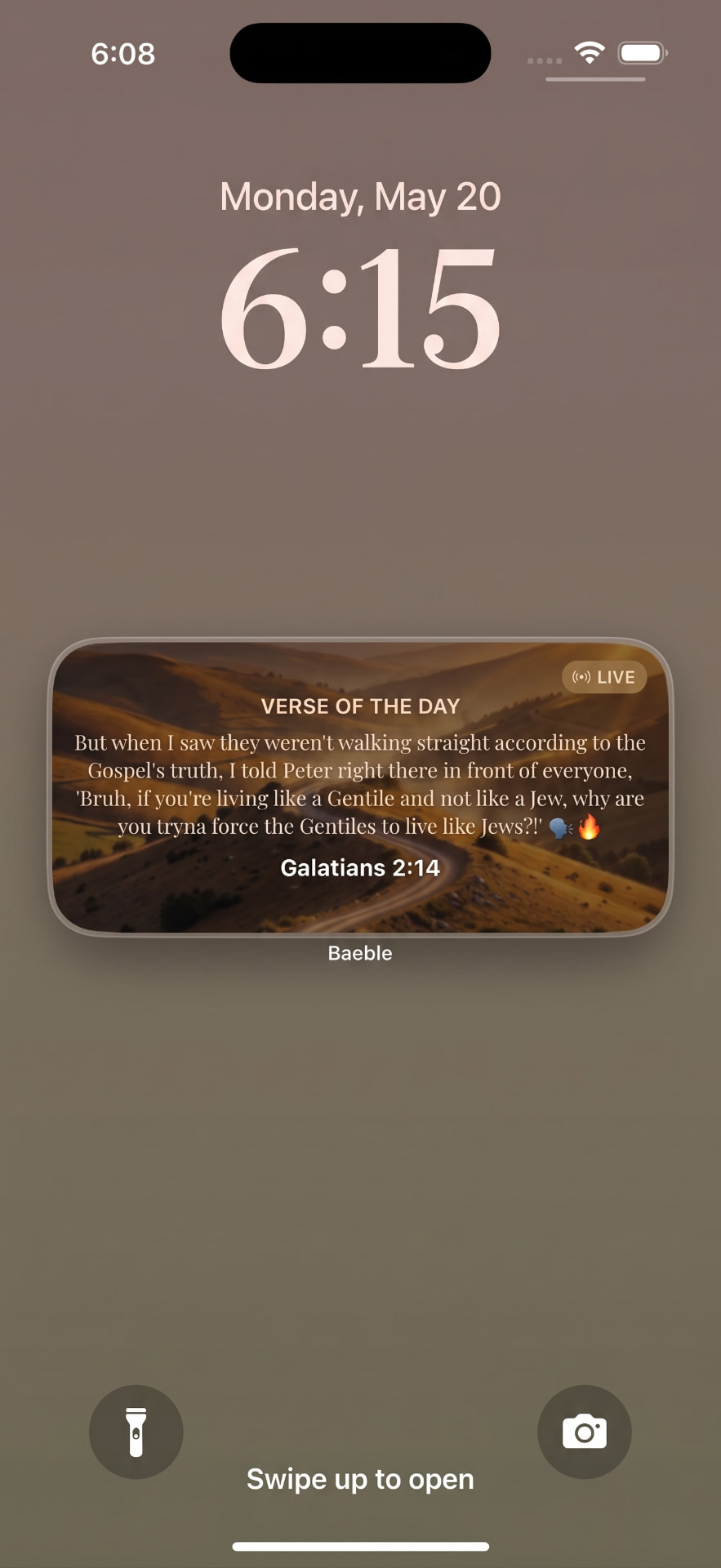
Lock Screen
Verse of the Day
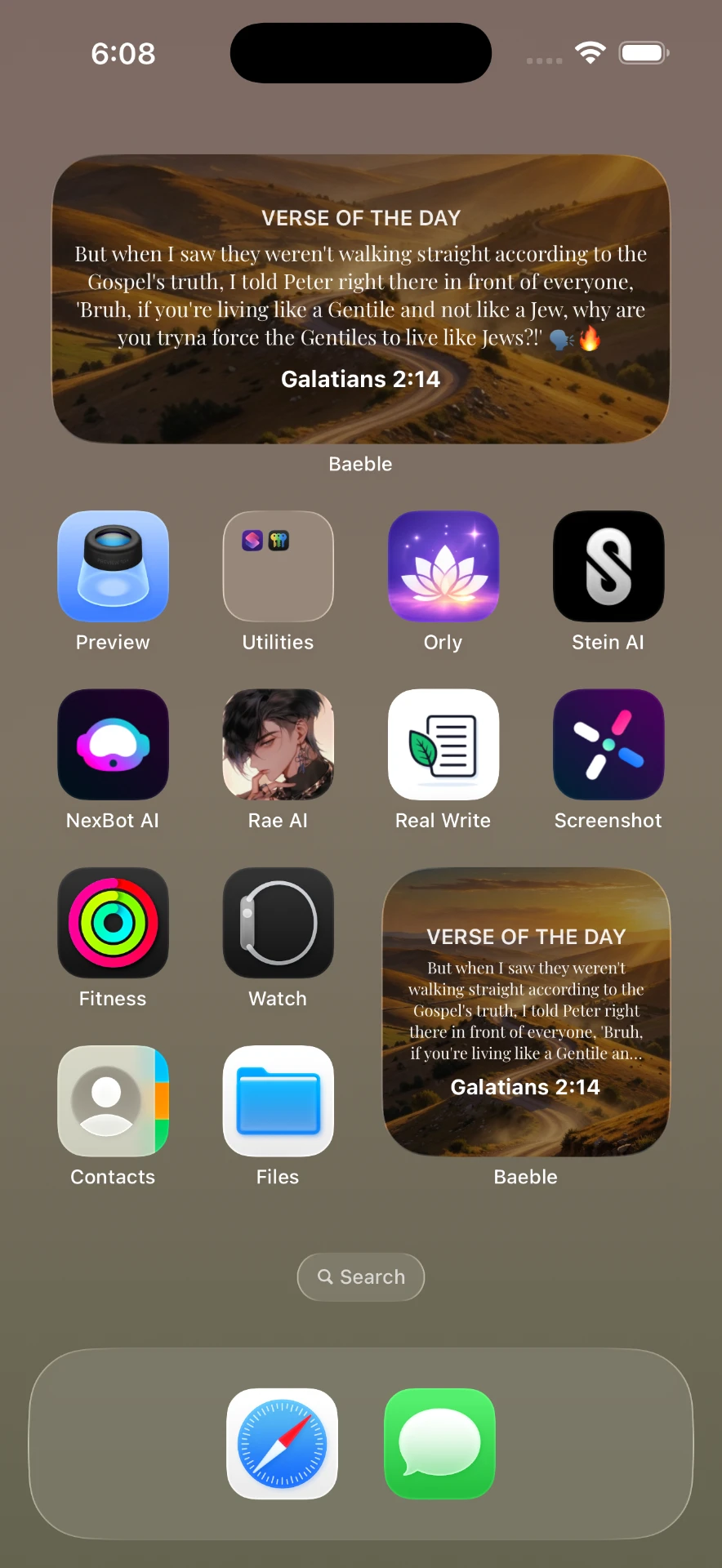
Home Screen
Verse of the Hour
How to put a Bible verse on your lock screen
Choose the instructions for your device below.
1. Download Baeble
Get Baeble free on the App Store or Google Play. Open the app to see the reading and widget options available to you.
2. Add the widget
On iOS: long-press your lock screen, tap Customize, then add the Baeble widget. On Android: long-press your home screen, tap Widgets, and drag Baeble into place.
3. Pick your style
Choose an available Verse of the Day or Verse of the Hour option. Widget refresh timing is managed by your device. Select your Bible version — KJV, NIV, ESV, NLT, or Gen Z mode (a paraphrase).
4. Glance & grow
Every time you check your phone, scripture is right there. See a verse at a glance on the screen you chose.
Free core Bible reading · Premium widget features in Baeble Pro
Bible verse widget setup by device
iPhone lock screen
- Install Baeble, open it, and choose the available widget settings in the app.
- Touch and hold the lock screen, choose Customize, and select the lock screen layout.
- Tap Add Widgets, find Baeble, and choose a widget that fits the available space.
- Save the layout. If the widget area is full, remove an existing widget first.
Lock screen widgets require a supported iPhone and iOS version. See Apple's widget instructions for your current software.
iPhone home screen
Touch and hold an empty area of the home screen. Choose Edit, then Add Widget; find Baeble, select a size, add it, and save. Home screen and lock screen widgets use different galleries, so choose the gallery for the screen you want.
Android home screen
Touch and hold an empty home screen area, open Widgets, find Baeble, and drag an available widget onto the screen. Leave enough space for its size. Lock screen support varies by device and software; these steps describe the home screen.
See Google's Android widget guide for adding and resizing widgets.
If Baeble is missing or a verse has not refreshed
Open the app after installing or updating it, then check the widget gallery again. Confirm the widget is available for your device and plan. If a verse looks stale, open Baeble, check your connection, and remove and re-add the widget. The operating system schedules widget refreshes, so an update may not appear at an exact minute.
Choosing a translation
Pick the translation you actually read — KJV, NIV, ESV, NLT, or Gen Z mode (a paraphrase, not a translation). The widget shows the version you configure in Baeble.
Is the widget free?
No. Baeble is free to download with core Bible reading, but home screen and lock screen widgets are included with Baeble Pro, which starts with a free trial. Check the current in-app offer before subscribing.
FAQ
How do I add a Bible verse widget on iPhone?
Install Baeble, open the app, then touch and hold the lock screen, tap Customize, add widgets, and choose Baeble. For the home screen, touch and hold an empty area, choose Add Widget, and find Baeble. Widgets are a Baeble Pro feature.
Is there a Bible widget for Android?
Yes. On Android, touch and hold an empty home screen area, open Widgets, find Baeble, and drag a widget onto the screen. Lock screen support varies by device. Widgets are included with Baeble Pro.
Are Baeble widgets free?
No. Baeble is free to download with core Bible reading, but home and lock screen widgets are part of Baeble Pro. Check the current in-app trial and subscription offer.
Can the widget change every hour?
Yes. Baeble offers Verse of the Day and Verse of the Hour style options where available. Exact refresh timing is scheduled by your device’s operating system.
Start Your Gen Z Bible Journey 🙏
Download Free



